
Security for Online Examination.
BlinkExam software is enabled by highly secure technologies to manage the exam content. Our platform secures different payment gateways and sends instant alert notifications. With the SSL certificates and reliable IP functionality, it provides trust and security to the tool.
Request a Demo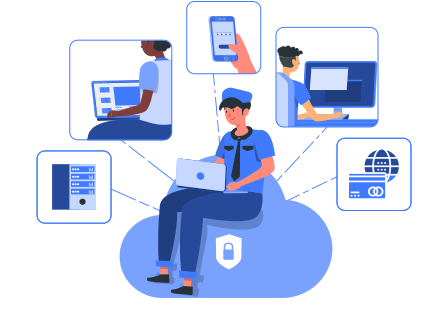
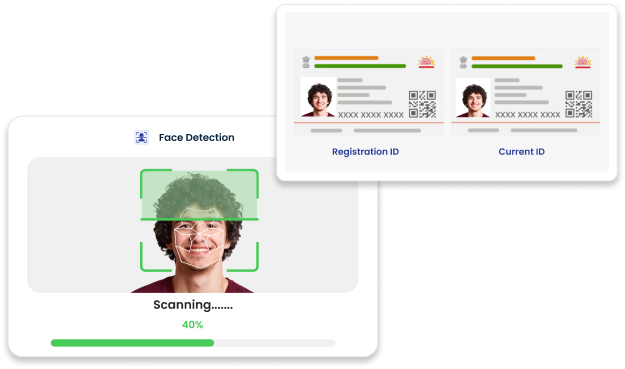
Candidate Photo and ID verification
BlinkExam ensures the authenticity of the candidate with a keen scrutiny of the candidate photo and ID verification. To add an extra layer of security, it allows only registered candidates to access the portal. With the registration, it saves the details and keeps it highly confidential. Before the offset of the exam, these details are used to match with the candidate's ID and photo to ensure integrity of the exam.
Mandatory Full Screen
At BlinkExam, we have made full screen mode a mandatory thing to avoid opening several tabs and make it a fully cheat-free zone while conducting exams.

Lock the screen interface to full screen

Browsing the web to search for answers

Minimising the windows to see answers

Prevent candidates from accessing other people
Spontanity
Exam panel enhances exam security and fairness with this feature.

Questions and answer options are shuffled
Questions and answer options are shuffled to prevent cheating, with correct answers appearing in different positions for each candidate.

Impromptu questions
Impromptu questions make exams more secure and cheat-free.

Every candidate's question paper looks unique
Every candidate's question paper looks unique due to the shuffling of questions every time.

Question Pool
The 'Question Pool' feature stores a vast collection of questions, randomly selecting them to ensure each candidate receives a unique set.
Cloud Infrastructure (High-Performing Performing Servers) & scalability

Live Monitoring of Candidates
BlinkExam offers live monitoring of candidates during exams to ensure a secure and fair testing environment. The e-proctor system can watch candidates in real-time through video feeds, track their activity, and receive alerts for any suspicious behavior. This feature helps maintain the integrity of the exam and provide a fair chance to every candidate by preventing cheating and ensuring that candidates adhere to the rules.

Event Log and Activity Log
The exam tool provides comprehensive event and activity logs to keep track of all activities during the exam, which are also kept safe and secure. The event log captures significant occurrences, such as logins, submissions, and any system alerts.

Recorded videos for review
The BlinkExam feature of recording the videos of candidates during the exams adds another level of security, such as sound sensoring and reading candidate's facial expressions and eye movements. It is allowing proctors to review and verify conduct if any irregularities are suspected. This feature helps maintain a secure testing environment by providing clear, accessible evidence for review and validation.


See BlinkExam in
action. Free for 7 days.
No credit card required. Get a personalized walkthrough with our solutions team and run a live pilot exam on your own candidates.