
Can Proctoring and Secure Browsers Prevent Cheating? Common Risks & Prevention Strategies
Introduction,
Online exams have made assessments faster, more accessible, and easier to manage. But they’ve also introduced a question that schools, colleges, recruiters, and training organizations can’t ignore: Can proctoring and secure browsers prevent cheating?
The short answer is that they can significantly reduce opportunities for cheating, but no technology can guarantee that every form of academic dishonesty will disappear.
That’s where a layered approach matters. AI proctoring can monitor suspicious candidate behavior, while a secure browser can restrict access to unauthorized websites, applications, shortcuts, and other digital resources. When these technologies work together, organizations can build a more controlled and credible online testing environment.
Why Is Cheating Still a Risk in Online Exams?
Traditional examination halls provide physical supervision. Online exams, on the other hand, may allow candidates to access digital resources, communicate with others, or use unauthorized devices if proper controls aren’t in place.
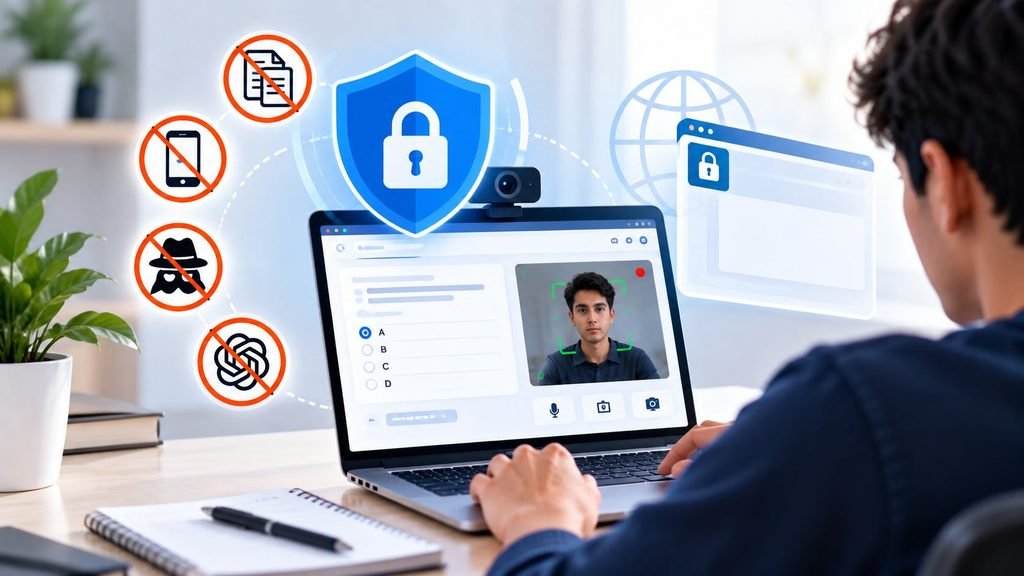
Common cheating risks include:
- Opening search engines or other websites during an exam
- Switching between applications or browser tabs
- Using messaging applications
- Taking screenshots or copying examination content
- Using unauthorized notes or digital resources
- Receiving assistance from another person
- Using a second device such as a smartphone
- Attempting to manipulate the examination environment
Not every suspicious action is necessarily cheating. For example, repeatedly looking away from the screen could have an innocent explanation. That’s why effective systems should combine automated detection with appropriate review, rather than treating every alert as proof of misconduct.
What Is Online Exam Proctoring?
Online exam proctoring uses technology to supervise candidates during remote assessments. Depending on the solution, proctoring may use:
1. AI-Based Monitoring
AI can analyze patterns such as unusual movements, multiple faces appearing in the camera view, suspicious head movements, or other predefined signals.
2. Identity Verification
Candidates may be required to verify their identity before beginning an assessment. This helps ensure that the registered candidate is the person taking the exam.
3. Environment Monitoring
Camera and microphone-based monitoring can provide additional visibility into the examination environment, depending on the organization’s configuration and applicable privacy requirements.
4. Suspicious Activity Detection
A proctoring system can generate alerts when predefined behaviors or events occur. These alerts can then be reviewed according to the organization’s examination policy.
The goal isn’t simply to “watch” candidates. The broader objective is to create accountability while maintaining a fair examination experience.
What Is a Secure Exam Browser?
A secure exam browser is designed to control what candidates can access on their devices while an assessment is running. Instead of allowing candidates to use a normal browser with unrestricted access, a secure browser can create a controlled examination environment.
Depending on the implementation, it may restrict:
- Access to external websites
- Opening new browser tabs
- Switching applications
- Copy-and-paste actions
- Keyboard shortcuts
- Printing
- Screen capture
- Unauthorized browser extensions
- Other predefined system functions
This makes it much harder for candidates to simply search for answers or move information between applications during an assessment.
Can Proctoring and Secure Browsers Prevent Cheating?
Yes, when properly configured and used together, they can remove online exam cheating.
However, they solve different parts of the problem.
Secure browsers primarily control the digital environment. They can prevent or restrict many actions that candidates might otherwise use to access unauthorized resources.
Proctoring primarily provides behavioral and environmental oversight. It can identify events or patterns that may require attention.
Think of them as two layers:
Secure Browser → Controls the device and exam environment
AI Proctoring → Monitors candidate behavior and suspicious events
Together, these layers can provide stronger examination security than relying on either technology alone.
Common Cheating Risks and Prevention Strategies
1. Searching the Internet for Answers
A candidate may attempt to open Google or another website to find answers.
Prevention strategy: A secure exam browser can restrict access to external websites and keep the candidate within the authorized examination environment.
2. Switching to Another Application
Candidates might try opening messaging apps, documents, calculators, or other software.
Prevention strategy: Application switching and unauthorized system functions can be restricted through secure examination controls.
3. Using a Smartphone
A candidate may use a second device that isn’t directly controlled by the examination software.
Prevention strategy: Candidate instructions, environment checks, and proctoring can help identify suspicious behavior. Organizations can also establish clear rules regarding secondary devices.
4. Getting Help From Another Person
A candidate could receive assistance from someone outside the camera’s normal field of view.
Prevention strategy: Proctoring can monitor candidate behavior and generate alerts for predefined suspicious events. Examination policies should also clearly explain what behavior is prohibited.
5. Taking Screenshots or Copying Questions
Digital content can potentially be captured or copied if controls aren’t implemented.
Prevention strategy: Secure examination environments can restrict copying, printing, screenshots, and related actions where technically supported.
6. Using Unauthorized Browser Extensions
Browser extensions may potentially provide access to additional information or functionality.
Prevention strategy: A dedicated secure browser environment can reduce exposure to unauthorized browser functionality compared with an unrestricted browser.
Why BlinkExam
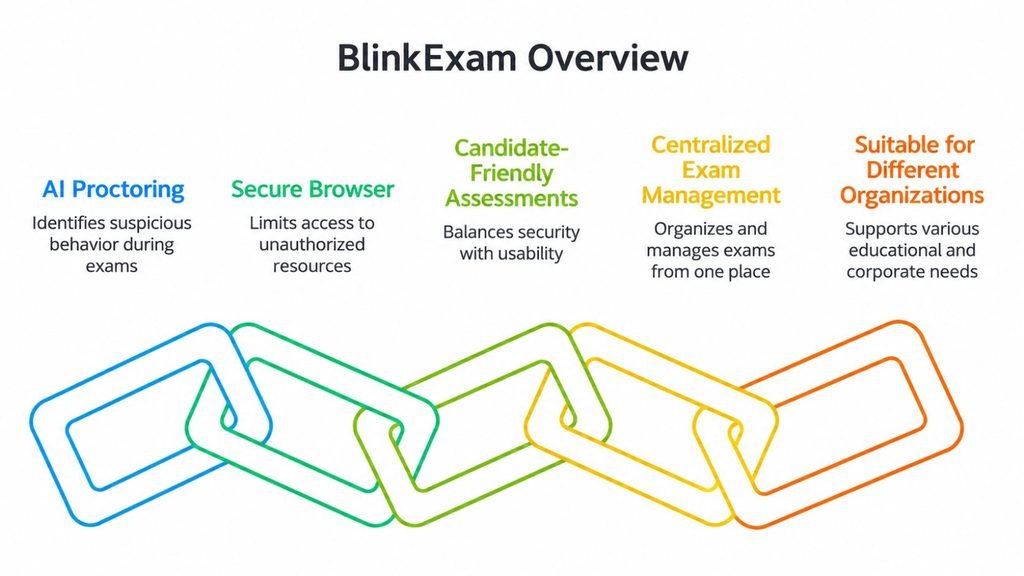
BlinkExam brings together online examination capabilities with security-focused technologies designed for modern assessments. Its approach can help organizations create a controlled examination environment without making the candidate experience unnecessarily complicated.
1. AI Proctoring
AI-based proctoring can help identify predefined suspicious events and behavior’s during an online assessment, giving administrators additional visibility into remote examinations.
2. Secure Browser
A secure browser provides a controlled environment for candidates by limiting access to unauthorized digital resources and system functions during an exam.
3. Candidate-Friendly Assessments
Security shouldn’t automatically mean an intimidating exam experience. A well-designed online examination process should balance integrity, usability, accessibility, and candidate comfort.
4. Centralized Exam Management
Administrators can use an online examination platform to organize assessments, manage candidates, conduct tests, and handle results from a centralized system.
5. Suitable for Different Organizations
Online examination and proctoring solutions can support different assessment scenarios across:
- Schools
- Colleges
- Universities
- Coaching institutes
- Recruitment teams
- Corporate training programs
- Certification providers
Proctoring vs. Secure Browser: What’s the Difference?
| Feature | Online Proctoring | Secure Browser |
| Behavioral monitoring | Yes | Limited |
| Restricts external websites | Not its primary purpose | Yes |
| Detects suspicious candidate behavior | Yes | Limited |
| Controls browser access | Sometimes | Yes |
| Controls application access | Depends on solution | Often |
| Identity verification | Often supported | Not its primary purpose |
| Environmental monitoring | Often supported | No |
| Works as a security layer | Yes | Yes |
The important takeaway is that proctoring and secure browsers are complementary technologies rather than identical solutions.
Are Secure Browsers Enough on Their Own?
Usually, they shouldn’t be considered the complete answer.
A secure browser can restrict many digital actions, but it may not provide the same behavioral visibility as proctoring. Similarly, proctoring alone may detect suspicious activity but cannot necessarily prevent a candidate from accessing every unauthorized digital resource.
That’s why organizations conducting high-stakes assessments may benefit from combining secure browser technology with proctoring and assessment-level controls.
Are Proctored Online Exams Completely Cheat-Proof?
No online examination system should be described as completely cheat-proof.
Technology can reduce opportunities, increase accountability, detect suspicious events, and make common cheating methods more difficult. However, examination security is a broader process involving technology, assessment design, candidate communication, human review, and organizational policies.
The objective should be practical risk reduction rather than claiming absolute prevention.
FAQs
1. Can proctoring prevent cheating in online exams?
Proctoring can significantly reduce and detect many forms of suspicious behavior, but it cannot guarantee that every possible cheating method will be prevented.
2. What does a secure exam browser do?
A secure exam browser creates a controlled testing environment by restricting access to unauthorized websites, applications, browser functions, shortcuts, or other system features, depending on its configuration.
3. Is a secure browser better than online proctoring?
They serve different purposes. A secure browser focuses on controlling the digital environment, while proctoring focuses more on candidate behavior and examination monitoring. Using both can provide multiple security layers.
4. Can secure browsers detect screen sharing?
A secure browser may restrict or detect certain unauthorized system activities depending on its technical implementation and operating-system permissions. Organizations should verify the specific capabilities of their chosen solution.
5. Can AI proctoring detect suspicious behavior?
AI proctoring can identify predefined visual, behavioral, or environmental signals that may indicate suspicious activity. Alerts should be reviewed in context because an alert doesn’t necessarily establish misconduct.
6. How can schools reduce cheating in online exams?
Schools can combine secure browsers, proctoring, question randomization, large question banks, time controls, identity verification, clear rules, and appropriate review procedures.
Conclusion
So, can proctoring and secure browsers prevent cheating? They can make common cheating methods significantly harder and provide organizations with stronger tools for maintaining examination integrity—but they work best as part of a broader assessment strategy.
A secure browser controls the digital environment, while AI proctoring adds behavioral and environmental oversight. Add randomized questions, strong exam policies, identity verification, and appropriate review, and organizations can build a much more robust online testing process.
With BlinkExam, schools, colleges, institutes, recruiters, and other organizations can move toward online assessments that are secure, scalable, and candidate-friendly—without losing sight of the human experience behind every examination.